
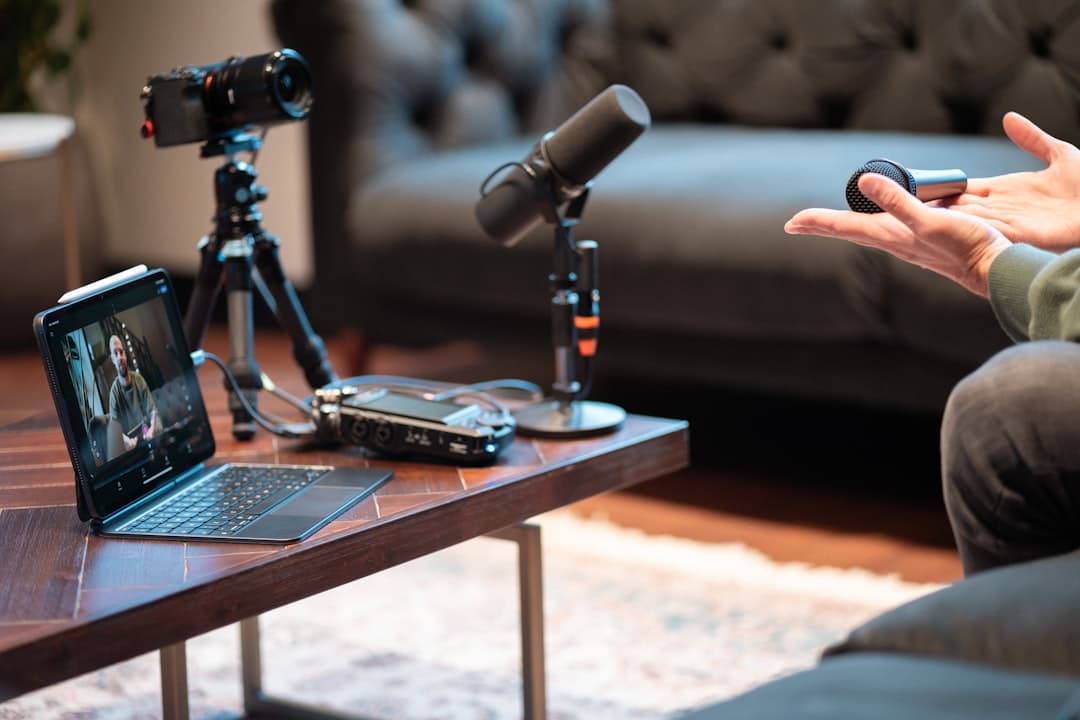
Voice-to-Text Tools for Content Creators: A Complete Guide for 2026

You have a brilliant idea for your next video. The concept is crystal clear in your head. But the moment you sit down to write the script, everything slows to a crawl. Words that flowed effortlessly in your mind become a struggle to type.
This is the content creator's paradox. Most of us can speak three to four times faster than we can type. According to research published by Stanford University, voice input is approximately 3 times faster than keyboard typing on mobile devices. Yet we force ourselves to laboriously keyboard every script, caption, and blog post.
Voice-to-text tools flip this equation. They let you speak your ideas naturally while AI handles the transcription. The result? Faster content production, more authentic voice, and scripts that sound like you actually talk.
This guide shows you exactly how content creators are using voice-to-text tools in 2026, which options work best for different content types, and how to build a workflow that cuts your production time dramatically.
Quick Navigation
- Why Content Creators Need Voice-to-Text
- How Voice-to-Text Technology Works
- Best Voice-to-Text Tools for Content Creation
- Use Cases for Different Content Types
- Building Your Voice-to-Text Workflow
- Tips for Better Voice-to-Text Results
Why Content Creators Need Voice-to-Text
The content landscape has changed dramatically. According to Demand Metric, content marketing generates over three times as many leads as outbound marketing while costing 62% less. Audiences expect more content, faster, across more platforms. Solo creators and small teams are competing with production studios. Something has to give.
The Speed Advantage
The average person types at 40 words per minute. The average person speaks at 150 words per minute. That's nearly a 4x speed difference. For a 2,000-word blog post, typing takes roughly 50 minutes. Speaking takes about 13 minutes.
Add in modern AI transcription that's 95%+ accurate, and you're looking at massive time savings. Content creators using voice-to-text report cutting their first-draft time by 60-70%.
The Authenticity Factor
Here's something writers don't talk about enough: many people write differently than they speak. Written content often comes out stiff, formal, and nothing like the creator's natural voice.
When you speak your content first, you naturally use:
- Shorter sentences
- Conversational transitions
- Your authentic vocabulary
- Natural rhythm and pacing
This matters because audiences connect with personality. A YouTube video where the creator sounds robotic will struggle against one where they sound genuinely themselves. Voice-first content creation helps you sound like you.
The Creative Flow State
Typing interrupts thought. Every keystroke is a micro-interruption that can break your creative momentum. When you're speaking, ideas flow continuously without mechanical interference.
Many content creators find they generate better ideas, more original angles, and more complete thoughts when speaking versus typing. The physical act of typing simply gets out of the way.
How Voice-to-Text Technology Works
Understanding the technology helps you use it better. Modern voice-to-text systems use several AI layers:
Automatic Speech Recognition (ASR)
The first layer converts audio signals into text. Neural networks trained on thousands of hours of speech learn to recognize phonemes, words, and phrases. Current models handle accents, background noise, and fast speech remarkably well.
Natural Language Processing (NLP)
Raw transcription is just the start. NLP adds punctuation, identifies sentence boundaries, and corrects common errors based on context. It knows that "their" and "there" sound identical but uses surrounding words to pick the right one.
Speaker Diarization
Advanced systems can identify different speakers in the same audio. This matters for podcasts, interviews, and collaborative content where multiple voices need to be distinguished.
Accuracy Benchmarks
In 2026, the best voice-to-text tools achieve:
- 95-98% accuracy in clear audio conditions
- 90-95% accuracy with background noise
- 85-92% accuracy with heavy accents or technical jargon
Compare this to human transcription, which averages 96-99% accuracy. The gap has narrowed significantly, and AI handles it in real-time rather than requiring hours of manual work.
Best Voice-to-Text Tools for Content Creation
Not all voice-to-text tools work equally well for content creators. Here's what to consider:
Key Features for Creators
Real-time transcription: See your words appear as you speak. Essential for those who like to edit while creating.
Speaker labels: If you record interviews or co-hosted podcasts, automatic speaker identification saves hours of manual labeling.
Export flexibility: You need to get your text into editing software, blog platforms, or caption files. Look for tools that export to multiple formats.
Vocabulary customization: Can you train the system on brand names, product terms, or industry jargon specific to your niche?
Recommended Tools
| Tool | Best For | Key Strength |
|---|---|---|
| SpeakNotes | Video creators | AI summaries and clip suggestions |
| Otter.ai | Podcasters | Real-time transcription |
| Descript | Video editors | Edit audio by editing text |
| Rev | High-accuracy needs | Human transcription option |
| Whisper | Technical users | Free, open-source |
For most content creators, we recommend starting with a tool that offers both real-time transcription and post-processing features. Our transcription tool handles both use cases and includes content-specific features like topic extraction and highlight detection.
Free vs. Paid Options
Free tools exist, but they typically limit:
- Minutes per month
- Export formats
- Accuracy (using older models)
- Features like speaker diarization
For casual use, free tiers work fine. If voice-to-text becomes core to your workflow, paid tools typically pay for themselves within a few projects through time saved.
Use Cases for Different Content Types
Different content formats benefit from voice-to-text in different ways:
YouTube Videos and Long-Form Content
Script writing: Speak your video outline, then refine the transcript into a polished script. Many creators find this produces more natural-sounding videos than typing scripts from scratch.
Captions and subtitles: Upload your finished video and get accurate captions automatically. YouTube's auto-captions have improved but still lag behind dedicated tools.
Repurposing content: Turn a single video into a blog post, Twitter thread, and LinkedIn article by editing the transcript. One piece of content becomes five without starting from zero.
Podcasts
Show notes: Generate comprehensive show notes by transcribing the episode and summarizing key points. Listeners can scan topics before deciding to listen.
Searchable episodes: Full transcripts make your podcast content searchable. Someone Googling a topic you covered can find your episode.
Quote extraction: Pull exact quotes for social media promotion. No more scrubbing through audio to find that perfect soundbite.
Blog Posts and Articles
First drafts: Speak your article while walking, commuting, or doing chores. Edit the transcript later when you're at your desk.
Overcoming writer's block: When you can't get words on the page, speaking often breaks the mental logjam. You can always clean up the output.
Interview-based content: Record conversations with experts and turn them into articles. Voice-to-text handles the transcription so you can focus on asking good questions.
Social Media Content
Twitter/X threads: Speak your thread as a continuous thought, then break the transcript into individual tweets. Maintains flow while respecting character limits.
Instagram captions: Talk through what you want to say, then tighten the transcript. Captures your voice without the pressure of typing directly in-app.
TikTok scripts: Even 60-second videos benefit from loose scripts. Speaking the concept takes seconds and helps you stay on message.
Building Your Voice-to-Text Workflow
Here's a practical workflow that works for most content creators:
Step 1: Capture
Record your raw thoughts without editing. Don't worry about "ums," false starts, or tangents. You're capturing the idea, not producing final content.
Options for capture:
- Dedicated voice recorder app
- Voice memos on your phone
- Built-in recording in your transcription tool
Pro tip: Many creators find walking or light physical activity helps ideas flow. A phone voice memo while walking the dog often produces better content than sitting at a desk.
Step 2: Transcribe
Upload your audio to your voice-to-text tool. Most tools process audio faster than real-time. A 30-minute recording might transcribe in 5 minutes.
Review the transcript for obvious errors. AI handles most words correctly, but proper nouns, brand names, and technical terms may need correction.
Step 3: Structure
Your raw transcript is probably not organized perfectly. Now you:
- Move sections around to improve flow
- Add headers and subheadings
- Remove tangents that don't serve the piece
- Identify gaps that need additional content
This is where your spoken content becomes written content. The hard work of generating ideas is done. Now you're editing, which is faster than creating from scratch.
Step 4: Polish
With structure in place, refine the writing:
- Tighten sentences (spoken content tends to be wordier)
- Add transitions between sections
- Include links, statistics, and quotes
- Format for the final platform
The final piece should read well, not sound like a transcript. But starting with your natural speaking voice means it still sounds like you.
Step 5: Repurpose
Don't stop at one piece of content. A single transcript can become:
- Long-form blog post (the full transcript, edited)
- Short-form social posts (key quotes and insights)
- Video script (tighten the transcript for on-camera delivery)
- Email newsletter (summarize the main points)
- Podcast talking points (if you recorded audio, you're halfway there)
Our meeting summary tool can help identify key moments in longer content that work well for social snippets.
Tips for Better Voice-to-Text Results
Getting great results from voice-to-text requires some technique:
Audio Quality Matters
Garbage in, garbage out applies here. For better transcription:
- Use a decent microphone (even a $30 lapel mic beats your phone's built-in mic)
- Record in quiet environments when possible
- Stay consistent distance from the mic
- Avoid rooms with heavy echo
Speaking for Transcription
Natural speech works, but a few adjustments help:
Articulate clearly: You don't need to over-enunciate, but mumbling creates errors.
Pause between thoughts: Brief pauses help the AI identify sentence boundaries. They also help you organize thoughts.
State unusual words: For brand names or technical terms, say them clearly the first time. Some tools let you add custom vocabulary.
Don't worry about perfection: False starts and corrections are fine. You'll edit them out anyway.
Editing Transcripts Efficiently
Develop a quick review process:
- Skim for obvious errors (words that don't make sense in context)
- Check proper nouns and numbers
- Add punctuation the AI missed
- Format for your platform
With practice, this review takes 10-15 minutes per 30 minutes of audio. Much faster than typing the whole thing.
Common Mistakes to Avoid
Voice-to-text is powerful, but creators sometimes misuse it:
Mistake 1: Publishing Unedited Transcripts
Raw transcripts are not finished content. They contain redundancies, filler words, and structures that work for speaking but not reading. Always edit before publishing.
Mistake 2: Fighting the Tool
If you hate speaking your content, voice-to-text might not be for you. Some people genuinely think better through typing. That's fine. Use what works for your brain.
Mistake 3: Over-Relying on One Method
Voice-to-text works brilliantly for first drafts and idea capture. Final polish usually requires traditional writing and editing. The best workflows combine both.
Mistake 4: Ignoring Accuracy Check
AI is good but not perfect. A single wrong word can change meaning significantly. Always review transcripts, especially for important content.
The Future of Voice-to-Text for Creators
Voice-to-text technology continues improving rapidly. Coming developments include:
Real-time translation: Speak in one language, get transcripts in another. With models like Meta's SeamlessM4T supporting translation across nearly 100 languages, global content creation without language barriers is becoming a reality.
Tone and emotion detection: AI that flags sections where you sound uncertain, excited, or bored. Useful for identifying strong and weak moments.
Automatic content structuring: AI that doesn't just transcribe but organizes your ideas into logical sections with headers.
Voice cloning integration: Record yourself once, then generate audio from future text content in your voice. Your transcript becomes a video or podcast without additional recording.
Getting Started Today
You don't need expensive equipment or technical expertise to start using voice-to-text for content creation. Here's the minimum viable setup:
-
A smartphone: Your phone's voice recorder and most transcription apps work fine for starting out.
-
A transcription tool: Try our free transcription tool or any of the options mentioned above.
-
15 minutes: Record yourself talking about a topic you know well. Transcribe it. Edit the transcript into a short post.
That's it. You've just experienced voice-first content creation. Most people find it feels surprisingly natural after the initial awkwardness passes.
Conclusion
Voice-to-text tools represent a genuine step-change in content creation efficiency. They let you leverage your natural speaking ability to produce written content faster and more authentically than typing alone.
The technology is mature enough for professional use. The tools are accessible enough for anyone to try. And the time savings are significant enough to transform your content workflow.
Start with one piece of content. Speak your ideas, transcribe them, and edit the result. Compare the experience to your usual process. For most content creators, there's no going back.
Ready to try voice-to-text for your next piece of content? Use our free transcription tool to turn your spoken ideas into polished scripts, blog posts, and captions.

Jack is a software engineer that has worked at big tech companies and startups. He has a passion for making other's lives easier using software.